Updated since 8/28/2025
Note: A report must be attendance-enabled in order to assign Tracking Fields.
How do I create a new tracking field?
1.Click Organization.
2. Select Tracking Fields.
3. Click Create Tracking Field.
4. Name the Tracking Field.
5. Select Field Type.
6. If Single Choice was Selected. Type choice names.
7. Click Save.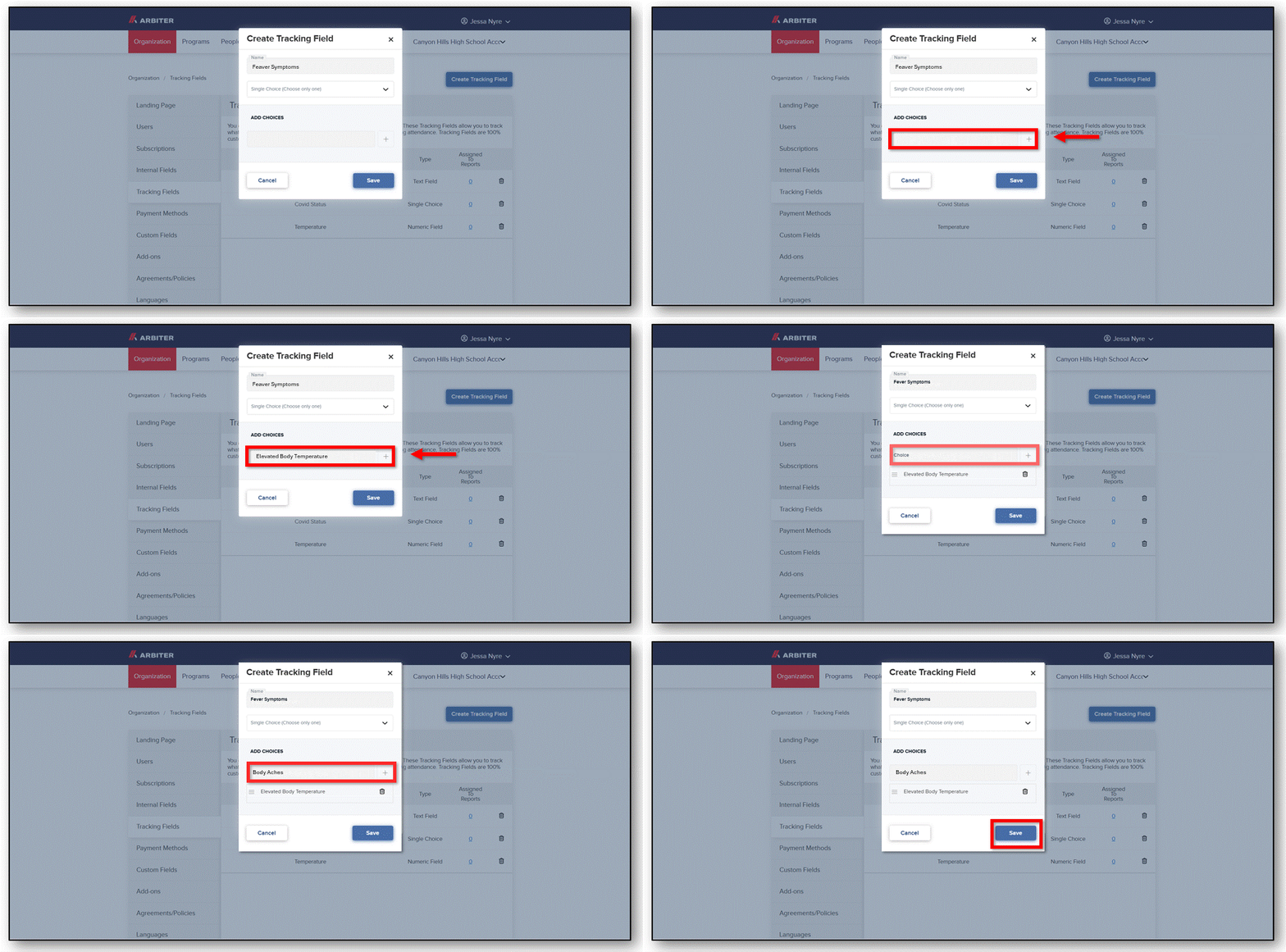
8. Click the number under Assigned to Reports.
8. Click the number under Assigned to Reports.
9. Check Reports. Click Save.
Once completed, you will be able to track fields while taking attendance.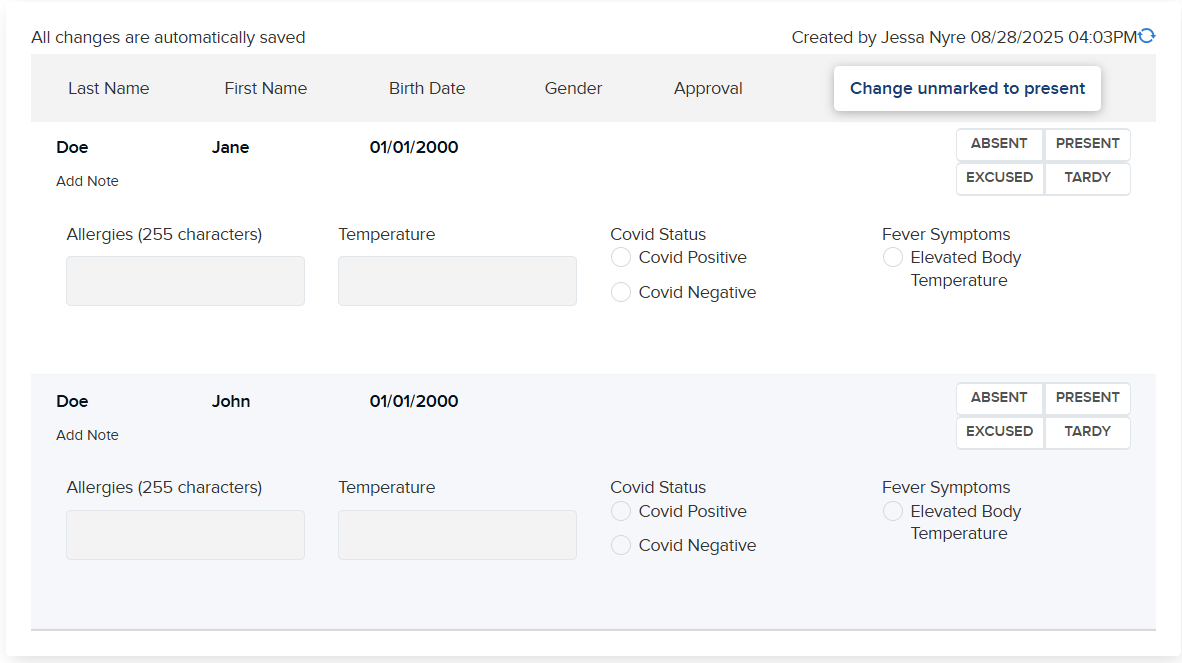
Comments
0 comments
Please sign in to leave a comment.